top of page
HOME
$30K GIVEAWAY
ABOUT US
OUR PROCESS
SERVICES
THE SNOWMAN FILMS BRAND VIDEO
CORPORATE & BUSINESS VIDEO
CONFERENCE & EVENTS
NARRATIVE
DOCUMENTARIES
MUSIC VIDEOS
MADE FOR FUN
THE PODCAST
MY BOOKS
THE BLOG
CONTACT US
More
Use tab to navigate through the menu items.
Noah Rowland Pittman
Noah Rowland Pittman
Play Video
Share
Whole Channel
This Video
Facebook
Twitter
Pinterest
Tumblr
Copy Link
Link Copied
Now Playing
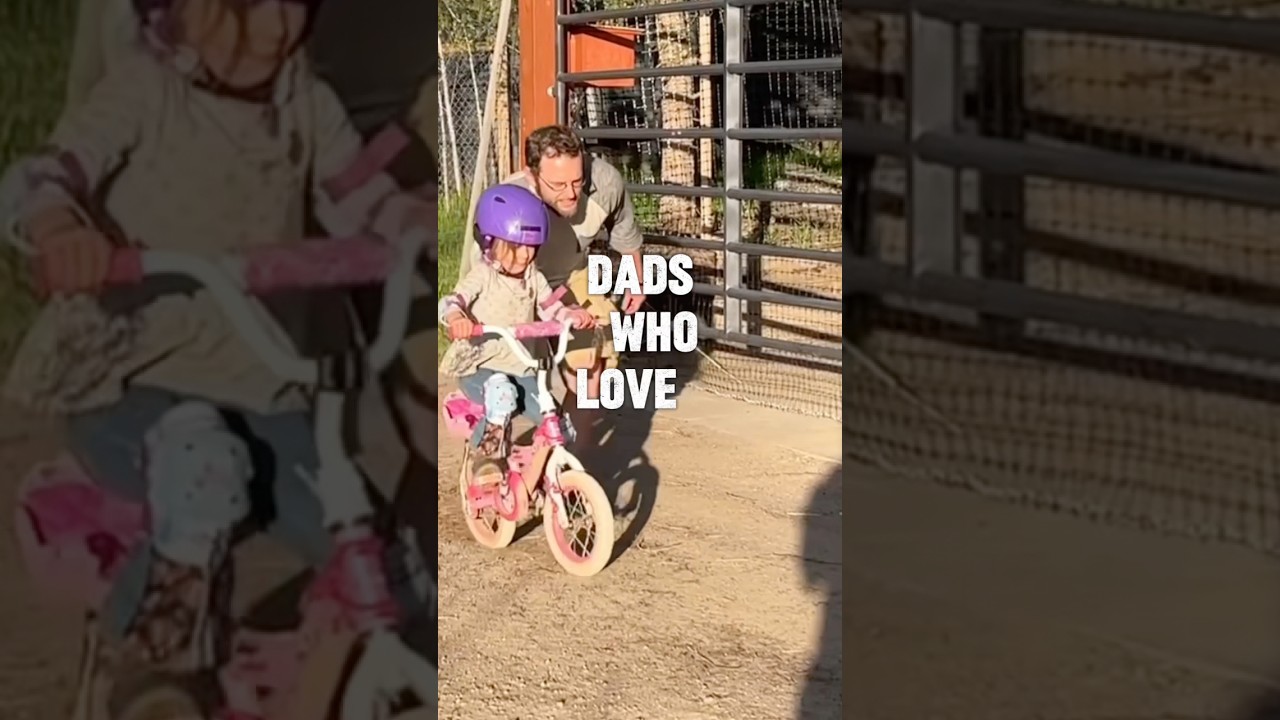
Here’s to the dads, you’re doing great. ❤️💪
01:00
Play Video
Now Playing
The Secret To "Great" Design Is Simpler Than You Think | Snowman Stories Ep 47
27:10
Play Video
Now Playing
No Sleep, No Money? You're a Non-Traditional Entrepreneur! #shorts
00:37
Play Video
Now Playing
"F*ck It" Mentality: Take Risks & Chase Your Dreams Now! #shorts
00:13
Play Video
Conversations With Creators
Play Video
Play Video
Grappling with Growth: A Journey Through Jiu-Jitsu, Parkour, and Parenthood with Ian William | Ep 65
Play Video
Play Video
Healing on the Road: The Power of Mobile Massage in Rural Montana with Morgan Way | Ep 64
Play Video
Play Video
Authentic Moments: Sue Ryan on The Art and Soul of Portrait Photography | Ep 63
Play Video
Play Video
Inner Work & Outer Impact: Kundalini, Growth & Finding Your Place with Lou | Ep 62
Play Video
Play Video
From Murals to Makeup: Art in Every Space with Rachel Henderson | Ep 61
Play Video
Play Video
From Spreadsheets to Snowstorms: Business, AI, and Mountain Life with Christian Lane | Ep 60
Play Video
Play Video
Stitching Stories: The Art of Custom Cowboy Boot Purses with Vanessa Harroun | Episode 59
Play Video
Play Video
Beauty Breakthroughs: Innovation in Skincare Products with Brenda Cumming | Episode 58
Video Marketing Mastery
Play Video
Play Video
01:05
Want Better Backgrounds? These Backdrops Are Easy to Use (and Look Pro!)
🎬 Want Better Backgrounds? These Backdrops Are Easy to Use (and Look Pro!) 🎬 Tired of cluttered, boring, or distracting backgrounds ruining your videos? In this video, I’ll show you easy-to-use backdrops that instantly make your content look clean, professional, and on-brand — no studio required. Whether you're filming YouTube videos, client interviews, product promos, or social content, these backdrop options are portable, affordable, and beginner-friendly. 💡 You’ll learn: The best backdrops for video creators How to set them up quickly Tips to avoid common mistakes (wrinkles, shadows, glare) Budget and pro-level options that elevate your visual game 🎥 Featured backdrops: ✅ Neewer Collapsible https://amzn.to/4dwdrSx ✅ Savage Seamless Paper https://amzn.to/3FmkQHD ✅ Kate Fabric Backdrops https://amzn.to/4jiqYhZ ✅ Elgato Green Screen https://amzn.to/43t1PLt ✅ Westcott X-Drop Kit https://amzn.to/4dAXKd0 📸 Upgrade your setup and make your videos STAND OUT. #Backdrops #VideoTips #HomeStudio #FilmmakingGear #ContentCreator #YouTubeStudio #VideoBackgrounds #CreatorTools
Play Video
Play Video
10:49
Want Better Backgrounds? These Backdrops Are Easy to Use (and Look Pro!)
🎬 Want Better Backgrounds? These Backdrops Are Easy to Use (and Look Pro!) 🎬 Tired of cluttered, boring, or distracting backgrounds ruining your videos? In this video, I’ll show you easy-to-use backdrops that instantly make your content look clean, professional, and on-brand — no studio required. Whether you're filming YouTube videos, client interviews, product promos, or social content, these backdrop options are portable, affordable, and beginner-friendly. 💡 You’ll learn: The best backdrops for video creators How to set them up quickly Tips to avoid common mistakes (wrinkles, shadows, glare) Budget and pro-level options that elevate your visual game 🎥 Featured backdrops: ✅ Neewer Collapsible https://amzn.to/4dwdrSx ✅ Savage Seamless Paper https://amzn.to/3FmkQHD ✅ Kate Fabric Backdrops https://amzn.to/4jiqYhZ ✅ Elgato Green Screen https://amzn.to/43t1PLt ✅ Westcott X-Drop Kit https://amzn.to/4dAXKd0 📸 Upgrade your setup and make your videos STAND OUT. #Backdrops #VideoTips #HomeStudio #FilmmakingGear #ContentCreator #YouTubeStudio #VideoBackgrounds #CreatorTools
Play Video
Play Video
00:49
15+ Must-Have Websites for Video Editors
20+ Must-Have Websites for Video Editors (That’ll Save You Time, Money & Headaches) Whether you’re cutting YouTube videos, editing wedding films, or crafting client commercials, one thing’s for sure: video editing isn’t just about the software. You need assets, inspiration, tools, plugins, and — let’s be honest — a few shortcuts. That’s where this list comes in. Here are 20+ must-have websites every video editor should know about, broken down into categories for footage, music, effects, productivity, and more. Bookmark these — your workflow (and sanity) will thank you. 🎵 Music & Sound Effects 1. Artlist Royalty-free music and SFX with a single, simple license. Great quality and wide genre selection. 👉 artlist.io 2. Epidemic Sound Perfect for YouTubers. Tons of trendy tracks and stems for custom mixes. 👉 epidemicsound.com 3. Freesound User-uploaded SFX and ambient sounds, completely free. 👉 freesound.org 4. Boom Library High-end sound packs for film, trailers, and games. 👉 boomlibrary.com 🎞️ Stock Footage & Overlays 5. Pexels Video Free, high-quality stock footage — especially good for B-roll and background content. 👉 pexels.com/videos 6. Mixkit Free footage, music, templates, and SFX — no license headaches. 👉 mixkit.co 7. Motion Array Subscriptions give you access to stock footage, templates, music, presets, and plugins. 👉 motionarray.com 8. Videezy Huge collection of free and premium stock clips. 👉 videezy.com 🖥️ Templates & Plugins 9. Envato Elements Unlimited downloads for After Effects, Premiere Pro templates, fonts, graphics, and more. 👉 elements.envato.com 10. MotionVFX Top-tier Final Cut Pro and DaVinci Resolve plugins and templates. Great cinematic packs. 👉 motionvfx.com 11. Cinecom.net Tutorials + affordable templates and presets for Premiere Pro and After Effects. 👉 store.cinecom.net 12. FxFactory Marketplace for FCPX and Adobe plugins — try before you buy. 👉 fxfactory.com 📁 Assets & Design Tools 13. Canva Great for thumbnails, lower thirds, and YouTube branding. Now includes video elements. 👉 canva.com 14. Unsplash Free, high-res photos you can use in video projects (titles, slides, backgrounds). 👉 unsplash.com 15. Storyblocks Affordable, high-quality stock assets including animations, backgrounds, and video clips. 👉 storyblocks.com 🎬 Learning & Inspiration 16. YouTube: Premiere Gal / Justin Odisho / Peter McKinnon Real-world tutorials for Adobe, DaVinci, and FCPX. Plus inspiration, gear tips, and workflow hacks. 17. Film Riot DIY filmmaking, post-production tricks, and visual effects breakdowns. 👉 youtube.com/filmriot 18. Frame.io Insider Deep-dive articles on editing theory, color grading, workflow, and industry trends. 👉 blog.frame.io 🧠 Collaboration & Productivity 19. Frame.io Client review + real-time collaboration built for editors. Timecode-based notes = life saver. 👉 frame.io 20. Notion Plan your video scripts, edit checklists, post schedules — all in one visual workspace. 👉 notion.so 21. Trello Visual task board for organizing edits, clients, and post-production pipelines. 👉 trello.com 🎁 Bonus Tools for Maximum Efficiency 22. HandBrake Free, open-source video transcoder. Shrink huge files without losing quality. 👉 handbrake.fr 23. Blackmagic LUTs Free LUTs from the makers of DaVinci Resolve for grading and film looks. 👉 blackmagicdesign.com 24. Shotdeck A visual search engine for film frames — perfect for shot ideas and color reference. 👉 shotdeck.com ✂️ Wrapping It Up Whether you’re building your first reel or editing for paying clients, these websites can: Save hours of hunting for assets Inspire new creative directions Speed up your workflow Level up your final product From royalty-free music to plugin marketplaces to collaborative tools, these resources are what turn good editors into great ones. Ready to upgrade your editing game? Bookmark this list, start exploring, and bring new power to your post-production workflow.
Play Video
Play Video
04:03
20+ Must-Have Websites for Video Editors!
20+ Must-Have Websites for Video Editors (That’ll Save You Time, Money & Headaches) Whether you’re cutting YouTube videos, editing wedding films, or crafting client commercials, one thing’s for sure: video editing isn’t just about the software. You need assets, inspiration, tools, plugins, and — let’s be honest — a few shortcuts. That’s where this list comes in. Here are 20+ must-have websites every video editor should know about, broken down into categories for footage, music, effects, productivity, and more. Bookmark these — your workflow (and sanity) will thank you. 🎵 Music & Sound Effects 1. Artlist Royalty-free music and SFX with a single, simple license. Great quality and wide genre selection. 👉 artlist.io 2. Epidemic Sound Perfect for YouTubers. Tons of trendy tracks and stems for custom mixes. 👉 epidemicsound.com 3. Freesound User-uploaded SFX and ambient sounds, completely free. 👉 freesound.org 4. Boom Library High-end sound packs for film, trailers, and games. 👉 boomlibrary.com 🎞️ Stock Footage & Overlays 5. Pexels Video Free, high-quality stock footage — especially good for B-roll and background content. 👉 pexels.com/videos 6. Mixkit Free footage, music, templates, and SFX — no license headaches. 👉 mixkit.co 7. Motion Array Subscriptions give you access to stock footage, templates, music, presets, and plugins. 👉 motionarray.com 8. Videezy Huge collection of free and premium stock clips. 👉 videezy.com 🖥️ Templates & Plugins 9. Envato Elements Unlimited downloads for After Effects, Premiere Pro templates, fonts, graphics, and more. 👉 elements.envato.com 10. MotionVFX Top-tier Final Cut Pro and DaVinci Resolve plugins and templates. Great cinematic packs. 👉 motionvfx.com 11. Cinecom.net Tutorials + affordable templates and presets for Premiere Pro and After Effects. 👉 store.cinecom.net 12. FxFactory Marketplace for FCPX and Adobe plugins — try before you buy. 👉 fxfactory.com 📁 Assets & Design Tools 13. Canva Great for thumbnails, lower thirds, and YouTube branding. Now includes video elements. 👉 canva.com 14. Unsplash Free, high-res photos you can use in video projects (titles, slides, backgrounds). 👉 unsplash.com 15. Storyblocks Affordable, high-quality stock assets including animations, backgrounds, and video clips. 👉 storyblocks.com 🎬 Learning & Inspiration 16. YouTube: Premiere Gal / Justin Odisho / Peter McKinnon Real-world tutorials for Adobe, DaVinci, and FCPX. Plus inspiration, gear tips, and workflow hacks. 17. Film Riot DIY filmmaking, post-production tricks, and visual effects breakdowns. 👉 youtube.com/filmriot 18. Frame.io Insider Deep-dive articles on editing theory, color grading, workflow, and industry trends. 👉 blog.frame.io 🧠 Collaboration & Productivity 19. Frame.io Client review + real-time collaboration built for editors. Timecode-based notes = life saver. 👉 frame.io 20. Notion Plan your video scripts, edit checklists, post schedules — all in one visual workspace. 👉 notion.so 21. Trello Visual task board for organizing edits, clients, and post-production pipelines. 👉 trello.com 🎁 Bonus Tools for Maximum Efficiency 22. HandBrake Free, open-source video transcoder. Shrink huge files without losing quality. 👉 handbrake.fr 23. Blackmagic LUTs Free LUTs from the makers of DaVinci Resolve for grading and film looks. 👉 blackmagicdesign.com 24. Shotdeck A visual search engine for film frames — perfect for shot ideas and color reference. 👉 shotdeck.com ✂️ Wrapping It Up Whether you’re building your first reel or editing for paying clients, these websites can: Save hours of hunting for assets Inspire new creative directions Speed up your workflow Level up your final product From royalty-free music to plugin marketplaces to collaborative tools, these resources are what turn good editors into great ones. Ready to upgrade your editing game? Bookmark this list, start exploring, and bring new power to your post-production workflow.
Play Video
Play Video
01:11
Want to Film Like a Pro With Your Phone? Use This Setup
The Smartphone Kit That’ll Make Your Videos Stand Out These days, you don’t need a fancy camera to create professional-looking videos. Your smartphone is already a powerful filmmaking tool — but the right gear can take your content from “eh” to “eye-catching.” Whether you're a content creator, business owner, or aspiring filmmaker, this smartphone kit is designed to make your videos stand out — without breaking the bank. Let’s break down a pro-level mobile video kit that delivers cinematic results, even when you're filming from your pocket. 🎥 1. Smartphone Gimbal: DJI Osmo Mobile 6 Want buttery-smooth footage? A gimbal is your best friend. The DJI Osmo Mobile 6 is a compact, foldable gimbal designed for smartphones. It offers 3-axis stabilization, intelligent tracking, and built-in extension for vlog-style shooting. Key Benefits: Smooth out walking or tracking shots Auto-track your face or subject Easy to control with one hand Pairs with DJI Mimo app for creative presets Whether you're filming events, reels, or YouTube shorts, the Osmo Mobile 6 gives your footage a polished, professional look. 🔗 https://amzn.to/4kkP4tm 🎤 2. Microphone: Rode VideoMic Me-L (for iPhone) or VideoMic Me-C (for USB-C) Audio can make or break your video. Viewers will forgive a shaky shot — but bad audio? They’re gone. The Rode VideoMic Me series plugs directly into your phone and gives you crisp, directional sound. It’s perfect for interviews, voiceovers, or vlogging in noisy environments. Why it stands out: Directional audio = less background noise Plug-and-play (no batteries needed) Includes furry windscreen for outdoor shoots If you’re talking to camera, this is a massive upgrade from your phone’s built-in mic. 🔗 https://amzn.to/43oAR7Q 💡 3. Lighting: Lume Cube Panel Mini Good lighting = better skin tones, sharper image quality, and a more professional vibe. The Lume Cube Panel Mini is a compact LED light that mounts directly to your phone rig or tripod. Key features: Adjustable brightness & color temperature Rechargeable battery Pocket-sized but powerful Cold shoe mount compatible Great lighting instantly improves your smartphone footage — especially indoors or in mixed lighting. 🔗 https://amzn.to/3Sez5B8 📱 4. Smartphone Clamp: Ulanzi ST-27 or BeastGrip Pro You need a reliable clamp to mount your phone securely to tripods, lights, and gimbals. The Ulanzi ST-27 is affordable, solid, and has cold shoe mounts for lights or mics. The BeastGrip Pro is modular and great for advanced setups (including lens attachments). Either way, don’t cheap out on a clamp. Dropping your phone mid-shot = not fun. 🔗 https://amzn.to/3SKoOwG https://amzn.to/44K2FpJ 🎬 5. Tripod: Joby GorillaPod 3K or Ulanzi MT-44 Even if you’re handheld half the time, a tripod helps with static shots, interviews, and time-lapses. The Joby GorillaPod 3K wraps around anything — trees, poles, fences — and has flexible legs. The Ulanzi MT-44 is a compact tripod/monopod hybrid with an extending neck and cold shoe mount. Both are portable, travel-ready, and perfect for mobile content creators. 🔗 https://amzn.to/4k1EJTk https://amzn.to/3SbZLT1 🎒 6. Carry Bag: PGYTECH OneGo Solo Sling All this gear won’t do much good if you leave it at home. The PGYTECH OneGo Solo Sling is sleek, weather-resistant, and built for creators on the go. Why it’s perfect: Customizable interior for gear Compact but fits your whole smartphone kit Sling design = quick access Great gear + fast setup = more content creation, less fumbling around. 🔗 https://amzn.to/44FSYsh 🧠 Bonus Tips for Better Smartphone Video Use manual camera apps. Try Filmic Pro or BeastCam for full control of exposure, frame rate, and focus. Shoot in landscape for YouTube, portrait for TikTok/Reels. Know your platform! Always clean your lens before filming. It sounds obvious — but it’s game-changing. Use airplane mode. Avoid calls ruining your perfect take. Light over Gear. If you only buy one thing, get a good light first. It’ll instantly improve your video quality. 🎯 Final Thoughts You don’t need a $5,000 camera rig to make great videos — you just need the right tools to unlock the power of the one in your pocket. With this kit: Ready to level up? Here’s a recap of the full kit: 🎥 DJI Osmo Mobile 6 Gimbal https://amzn.to/4kkP4tm 🎤 Rode VideoMic Me-L / Me-C https://amzn.to/43oAR7Q 💡 Lume Cube Panel Mini https://amzn.to/3Sez5B8 📱 Ulanzi ST-27 Clamp or BeastGrip Pro https://amzn.to/3SKoOwG https://amzn.to/44K2FpJ 🎬 Joby GorillaPod 3K or Ulanzi MT-44 Tripod https://amzn.to/4k1EJTk https://amzn.to/3SbZLT1 🎒 PGYTECH OneGo Solo Sling https://amzn.to/44FSYsh
Play Video
Play Video
05:37
Want to Film Like a Pro With Your Phone? Use This Setup
The Smartphone Kit That’ll Make Your Videos Stand Out These days, you don’t need a fancy camera to create professional-looking videos. Your smartphone is already a powerful filmmaking tool — but the right gear can take your content from “eh” to “eye-catching.” Whether you're a content creator, business owner, or aspiring filmmaker, this smartphone kit is designed to make your videos stand out — without breaking the bank. Let’s break down a pro-level mobile video kit that delivers cinematic results, even when you're filming from your pocket. 🎥 1. Smartphone Gimbal: DJI Osmo Mobile 6 Want buttery-smooth footage? A gimbal is your best friend. The DJI Osmo Mobile 6 is a compact, foldable gimbal designed for smartphones. It offers 3-axis stabilization, intelligent tracking, and built-in extension for vlog-style shooting. Key Benefits: Smooth out walking or tracking shots Auto-track your face or subject Easy to control with one hand Pairs with DJI Mimo app for creative presets Whether you're filming events, reels, or YouTube shorts, the Osmo Mobile 6 gives your footage a polished, professional look. 🔗 https://amzn.to/4kkP4tm 🎤 2. Microphone: Rode VideoMic Me-L (for iPhone) or VideoMic Me-C (for USB-C) Audio can make or break your video. Viewers will forgive a shaky shot — but bad audio? They’re gone. The Rode VideoMic Me series plugs directly into your phone and gives you crisp, directional sound. It’s perfect for interviews, voiceovers, or vlogging in noisy environments. Why it stands out: Directional audio = less background noise Plug-and-play (no batteries needed) Includes furry windscreen for outdoor shoots If you’re talking to camera, this is a massive upgrade from your phone’s built-in mic. 🔗 https://amzn.to/43oAR7Q 💡 3. Lighting: Lume Cube Panel Mini Good lighting = better skin tones, sharper image quality, and a more professional vibe. The Lume Cube Panel Mini is a compact LED light that mounts directly to your phone rig or tripod. Key features: Adjustable brightness & color temperature Rechargeable battery Pocket-sized but powerful Cold shoe mount compatible Great lighting instantly improves your smartphone footage — especially indoors or in mixed lighting. 🔗 https://amzn.to/3Sez5B8 📱 4. Smartphone Clamp: Ulanzi ST-27 or BeastGrip Pro You need a reliable clamp to mount your phone securely to tripods, lights, and gimbals. The Ulanzi ST-27 is affordable, solid, and has cold shoe mounts for lights or mics. The BeastGrip Pro is modular and great for advanced setups (including lens attachments). Either way, don’t cheap out on a clamp. Dropping your phone mid-shot = not fun. 🔗 https://amzn.to/3SKoOwG https://amzn.to/44K2FpJ 🎬 5. Tripod: Joby GorillaPod 3K or Ulanzi MT-44 Even if you’re handheld half the time, a tripod helps with static shots, interviews, and time-lapses. The Joby GorillaPod 3K wraps around anything — trees, poles, fences — and has flexible legs. The Ulanzi MT-44 is a compact tripod/monopod hybrid with an extending neck and cold shoe mount. Both are portable, travel-ready, and perfect for mobile content creators. 🔗 https://amzn.to/4k1EJTk https://amzn.to/3SbZLT1 🎒 6. Carry Bag: PGYTECH OneGo Solo Sling All this gear won’t do much good if you leave it at home. The PGYTECH OneGo Solo Sling is sleek, weather-resistant, and built for creators on the go. Why it’s perfect: Customizable interior for gear Compact but fits your whole smartphone kit Sling design = quick access Great gear + fast setup = more content creation, less fumbling around. 🔗 https://amzn.to/44FSYsh 🧠 Bonus Tips for Better Smartphone Video Use manual camera apps. Try Filmic Pro or BeastCam for full control of exposure, frame rate, and focus. Shoot in landscape for YouTube, portrait for TikTok/Reels. Know your platform! Always clean your lens before filming. It sounds obvious — but it’s game-changing. Use airplane mode. Avoid calls ruining your perfect take. Light over Gear. If you only buy one thing, get a good light first. It’ll instantly improve your video quality. 🎯 Final Thoughts You don’t need a $5,000 camera rig to make great videos — you just need the right tools to unlock the power of the one in your pocket. With this kit: Ready to level up? Here’s a recap of the full kit: 🎥 DJI Osmo Mobile 6 Gimbal https://amzn.to/4kkP4tm 🎤 Rode VideoMic Me-L / Me-C https://amzn.to/43oAR7Q 💡 Lume Cube Panel Mini https://amzn.to/3Sez5B8 📱 Ulanzi ST-27 Clamp or BeastGrip Pro https://amzn.to/3SKoOwG https://amzn.to/44K2FpJ 🎬 Joby GorillaPod 3K or Ulanzi MT-44 Tripod https://amzn.to/4k1EJTk https://amzn.to/3SbZLT1 🎒 PGYTECH OneGo Solo Sling https://amzn.to/44FSYsh
Play Video
Play Video
00:49
Editing All Day? Here’s the Desk Setup That’ll Help You
🧠💻 Editing all day? Your body—and your workflow—deserve better. In this video, we reveal the standing smart desk setup that’s helped transform long editing sessions into focused, flexible work blocks without the back pain. 🎯 What you’ll discover: ✅ Why a standing desk boosts creativity & reduces fatigue ✅ Our favorite smart desk with memory presets, silent lift, & cable management ✅ How to optimize your setup for posture, productivity & editing efficiency ✅ Bonus: monitor arms, anti-fatigue mats & accessories that actually help 🪄 Whether you're cranking out content or cutting your next masterpiece—this smart desk setup is the upgrade you didn’t know you needed. ErGear Height Adjustable Electric Standing Desk: https://amzn.to/3GZQvPx #StandingDeskSetup #SmartDesk #VideoEditingGear #PostProductionLife #ErgonomicWorkspace #CreativeWorkflow
Play Video
Play Video
02:12
How To Make A Great Documentary (Tips & Techniques)
🎬 Documentary filmmaking isn't just storytelling-it's storytelling with purpose. In this video, we explore how documentary film can educate, inspire, challenge, and spark real change. Whether you're an aspiring doc filmmaker or a brand looking to tell authentic stories, this is where you learn how to make your message matter. 🎯 What you'll learn: ✅ Why documentaries are one of the most powerful formats in film ✅ Tips for planning, shooting, and structuring your doc ✅ How to find compelling stories and real emotional arcs ✅ Tools, gear, and techniques used by pro doc filmmakers ✅ The role of editing, narration, and pacing in storytelling impact 🔥 If you're ready to move hearts, open minds, and elevate your craft-documentary filmmaking is your superpower. #DocumentaryFilm #Storytelling #FilmmakingTips #ContentWithPurpose #VideoProduction #CreativeImpact
All Posts
Finding the Right Video Company Near Me: Your Ultimate Guide to Local Production Services
Finding the right video company near me can feel overwhelming, especially with so many options available. Whether you need a corporate...
Noah Mittman
May 9, 2025
11 min read
Finding the Best Video Marketing Company Near Me: A Comprehensive Guide
Finding a reliable video marketing company near me can feel overwhelming. With so many options out there, it’s hard to know where to...
Noah Mittman
Apr 26, 2025
11 min read
bottom of page